
Images not displaying
Forums › Forums › Social › Website discussion › Images not displaying
- This topic is empty.
-
AuthorPosts
-
May 17, 2015 at 9:52 am #29354
Wondered if anyone else is having a problem with images either not displaying at all or looking very, very strange today (Sunday)? Jenny
May 17, 2015 at 10:16 am #34259Thanks Jenny. Now fixed. For the geeks, it was because I moved the site from fungi.org.uk/forum to fungi.org.uk and used FileZilla to do this. Because phpbb stores images in a special hashed format and Filezilla sees them as ascii, they get corrupted during the transfer. So I had to copy the files a different way. May 17, 2015 at 11:26 am #34260Thanks for the fixing and explanation Adam. “Filezilla sees them as ascii” – 😆 very appropriate for the Ascomycete side of a fungi forumMay 17, 2015 at 1:02 pm #34261Hi, I’m still having problems viewing some photos and not able to open .jpg files in posts
Mark
May 17, 2015 at 1:42 pm #34262Can you tell me which ones aren’t displayng and which are ok? Have you tried refreshing the page? (f5) May 17, 2015 at 2:25 pm #34263Hi Adam, Examples:
Pics:
ID Requests: Rusts on Borage adampembs
Fungus of the Day: Calocybe gambosa adampembs
.jpg not opening:
Fungus of the Day: Common Morrel Lancashire Lad
Appreciate it is early days for forum and probably lots of bugs to sort out!
Good to see Mal Greaves has signed up – he has been very helpful on iSpot and WAB sites.
Mark
May 17, 2015 at 2:28 pm #34264Hi Adam, Sorry should have mentioned yes I have ‘refreshed’. Should I log out as well?
Fiona Gallagher’s Stropharia photo is displaying OK
Mark
May 17, 2015 at 2:43 pm #34265I can’t see a problem with my own login or as a test user. I don’t think its a bug with the site, the issue was with Filezilla in the way it corrupts image files, but that issue is sorted, I can only think you are having some caching issue.
Are you getting a scrambled image or no picture at all? Is anyone else still having problems?
cheers, Adam
May 17, 2015 at 2:59 pm #34266Hi Mark, If you are seeing something like this:-
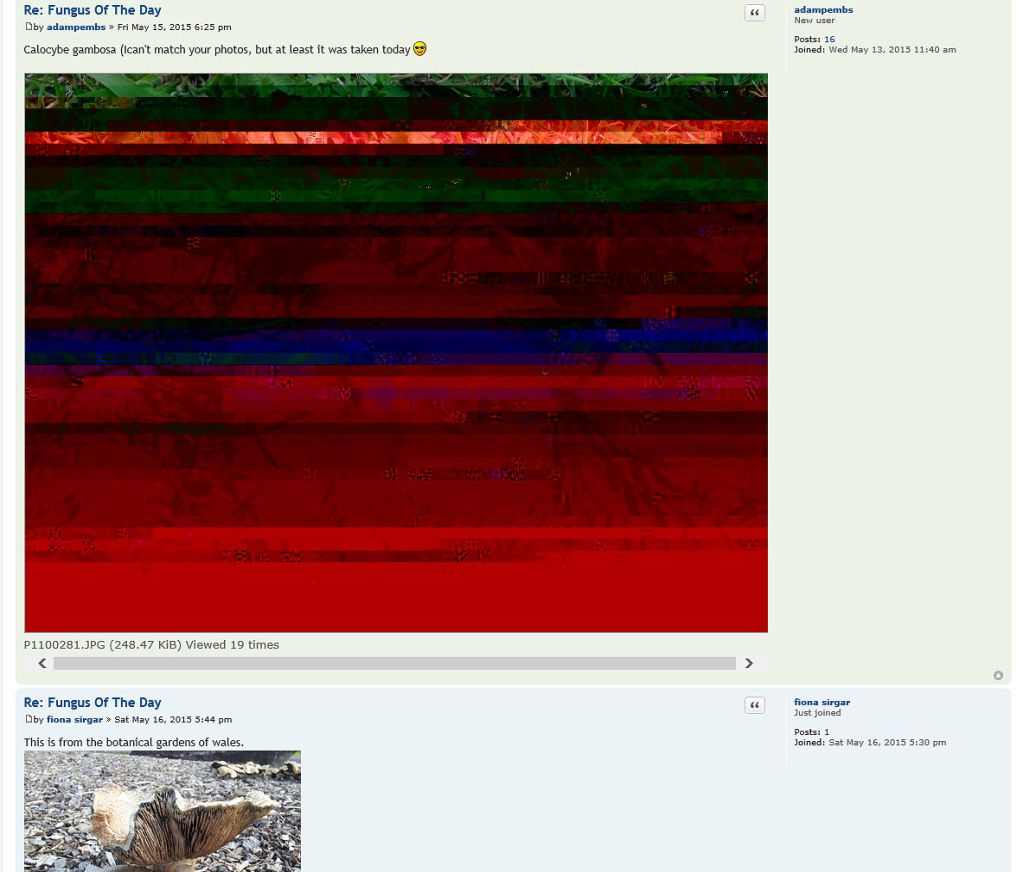
[attachment=0]Image2.jpg[/attachment] then your symptoms would appear identical to what I saw late last night – only the small photo by Fiona was showing correctly.
I’d suggest switching your router off and then back on.
Then, on the computer, clear the cache and browsing history (via Windows Control panel/Network and Internet/Delete Browsing History and Cookies).
Hopefully, if you then refresh the UK Fungi page, the problem should be sorted.
Regards,
Mike.
May 17, 2015 at 5:41 pm #34267Hi Mike, Exactly what I am seeing. I’ve followed your step by step suggestion (thanks for that as computers are a bit like black magic to me!) but it is still the same. I can’t open your .jpg of Common Morrel either.
I’m a bit concerned about posting photos on this site as all the ‘file size reduction ‘ ideas are a bit much for me! Everyone may have to put up with me posting link to my iSpot posts as photo file size doesn’t seem to be an issue (so far!)
Mark
May 17, 2015 at 6:02 pm #34268Hi Adam, See my reply to Mike. Have followed his instructions but seem to be having same problems!
Mark
May 17, 2015 at 6:10 pm #34269If you follow this link, are the images still scrambled? http://fungi.org.uk/viewtopic.php?f=4&t=5http://fungi.org.uk/viewtopic.php?f=4&t=5” class=”bbcode_url”> What browser are you using? Internet Explorer, Chrome, Firefox etc? Is it an up to date version?
Can you see the image below?

[attachment=0]P1000954.JPG[/attachment] May 17, 2015 at 6:22 pm #34270marksteer wrote:Hi Mike,
I’m a bit concerned about posting photos on this site as all the ‘file size reduction ‘ ideas are a bit much for me! Everyone may have to put up with me posting link to my iSpot posts as photo file size doesn’t seem to be an issue (so far!)
Mark
External images are fine

It also takes a 10x as long to upload a few 3MB files than a few 300k files
 May 17, 2015 at 7:04 pm #34271
I’m using Firefox. I think I’m on auto update so should be newest version. I can see this photo fine (any idea what it is?)
Posting photos – I have no idea what size they are from my camera! I never tried posting on WAB but they seem to be accepted fairly quickly on iSpot
May 17, 2015 at 7:24 pm #34272Hi Mark, Sorry, but I can’t suggest anything more. Hopefully Adam will come up with the answer.
PS: The fungus in Adam’s photo is a Thimble Morel –
Verpa conica. Regards,
Mike.
-
AuthorPosts


- You must be logged in to reply to this topic.